


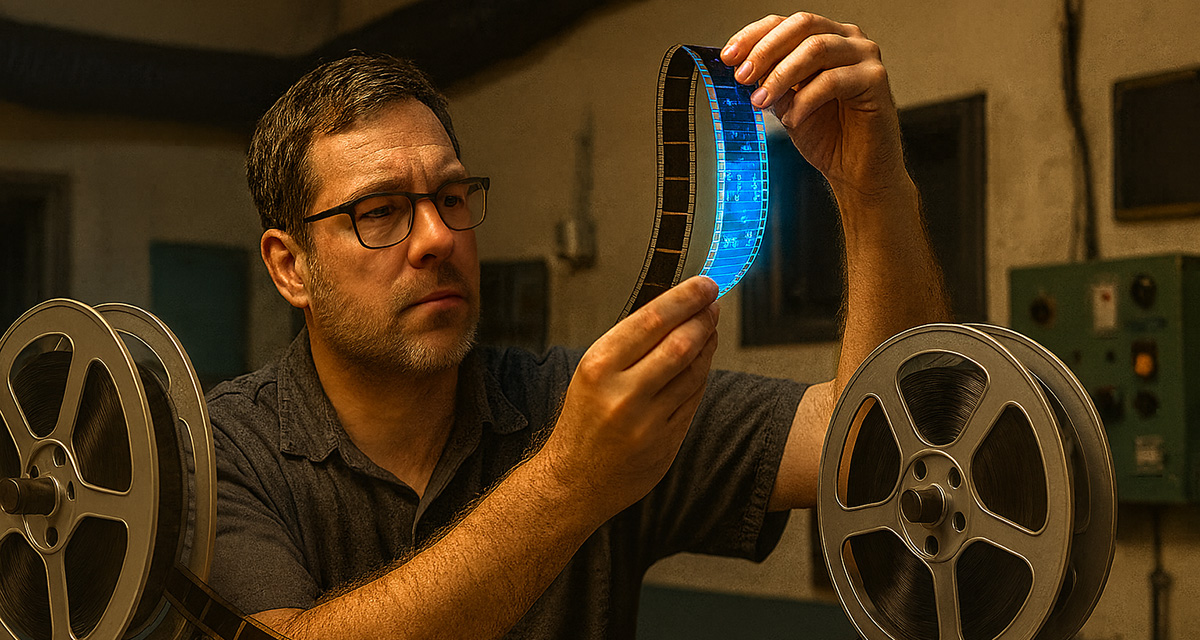
Reels, Rods and Rewinds: A Toolkit From the 35mm Era
Before servers, switches and signal paths became the centre of projection life, the projection booth was a mechanical world. The toolkit was physical, often oily, and hung on belt loops or lived in battered tins under the bench. There was no ethernet port to test, no XML key to ingest. Instead, your daily essentials were leader film, cue markers, film cement or splicing tape, cloths to clean lenses, and a bottle of isopropyl alcohol that got used far too liberally.
Every tool had a role in keeping the moving image flowing seamlessly across the screen. Splicers were used constantly, films arrived in reels and needed to be joined, often by hand, with precision. A well-aligned splice could run without notice; a misaligned one could cause a jump, a scratch, or a dreaded jam at the projector gate.
Rewind benches, which looked like steampunk torture devices to the untrained eye, were used to manually wind reels for inspection or cleaning. Chinagraph pencils were essential for marking changeovers, reel ends, or emergency repairs. Carbon arc rods, used before xenon bulbs, required constant adjusting, as the light they produced was a literal electrical arc between two burning rods of carbon. Gloves were essential. So was a good sense of smell; burning acetate had a way of announcing itself.
If a show ran without interruption, it was because the projectionist had been watching, listening, feeling. You’d monitor reel tension like a baker checks dough. You’d listen for changes in tone that signalled an ageing motor or a dry roller. And you did it all in dim light, with the clock ticking.
It wasn’t glamorous, but it was magic. And the toolkit was a badge of honour.
Projection Today: The Shift to Digital
Fast forward to today’s digital suites and the landscape has changed. The mechanical grind has been replaced with silent hardware racks. Film tins have given way to encrypted digital deliveries. And the tools? They’ve gone from the physical to the virtual, from splicers to software logs.
But while the toolkit has evolved, the job remains just as demanding. Modern projection still requires precision, attentiveness, and a deep understanding of the tools at hand, only now, those tools come with firmware updates and IP addresses.
What’s in the Modern Toolkit?
1. Digital Cinema Server and IMB
At the centre of any screen is the Digital Cinema Server. It handles ingest, playback and decryption of the DCP (Digital Cinema Package), working closely with the Integrated Media Block (IMB) to render encrypted content into an audio visual output.
Common systems include Dolby IMS3000, GDC SR-series, and Barco ICMPs. Each has its quirks, boot times, interface preferences, network behaviours, but all serve the same role: to deliver a secure, high-quality presentation. The latest generation of server is often mounted directly in the projector or housed in a rack, depending on setup.
Every projectionist should know how to navigate the server User Interface, reboot gracefully, and check diagnostics, especially temperature, storage space, and ingest logs.
2. Theatre Management System (TMS)
The TMS is the multiplex command centre. It allows for show scheduling, automation of playlists, and central ingest of DCPs and KDMs across multiple screens. It may also integrate with a Library Management Server (LMS) for storage and replication.
Key skills here involve creating and managing playlists, including pre-show, ads, trailers, and features. Monitoring the ingest status and file integrity of each DCP. Highlighting and resolving conflicts in the show schedule or KDM (Key Delivery Message) authorisation. Exporting the logs for the film distributor confirmation or diagnostics.
A TMS going offline is like a conductor dropping their baton mid-performance. Knowing how to restart the processes, isolate faulty nodes, or revert to local server control is part of the modern toolkit.
3. Secure Network Infrastructure
Unlike standalone projectors of the past, digital suites depend on robust network architecture. A typical setup includes static IP addresses for all servers, projectors, processors, some amplifiers and automation units. Gigabit switches (preferably managed) allow each device on the network to communicate at speeds up to a gigabit per second (1Gbps). VLANs (Virtual Local Area Networks) will segregate projection traffic from the rest of the cinema network. Or isolate different ports within the projection topology. A fibre optic backbone provides a fast and reliable connection between the TMS/LMS and the screen server, providing efficient data transfer and synchronisation. VPN (Virtual Private Network) creates a secure and encrypted connection between a remote user for support and the private projection network.
While magnetic screwdrivers, torx drivers and allen keys are tools still found in the modern projection suites, IP scanners, cable testers, admin logins, and an understanding of subnet masks, gateway addresses and MAC IDs, are also essential tools.
When the server vanishes from the network during a half-term kids screening, the projectionist becomes a network detective. Is the port link light active? Is there an IP conflict? Is the switch failing on just that port? Is the server’s internal NIC (Network Interface Card) fried?
You learn to check one thing at a time. And always carry a spare CAT6 cable.
4. Hard Drives, File Systems & USB Utilities
DCPs still often arrive via physical hard drive, especially for new releases or last-minute bookings. These drives may be formatted in EXT2, EXT3, NTFS or FAT32. An exFAT drive? Good luck, most servers won’t read it. And if your Mac-formatted HFS+ arrives at 8pm for a 9pm show, you’ll need a converter PC or a helpful manager with Linux skills. At a festival, I solved this same problem by creating a quick Local Area Network between a MacBook and a Windows machine, transferring the DCP from the exFAT drive to a FAT32 drive the server would accept.
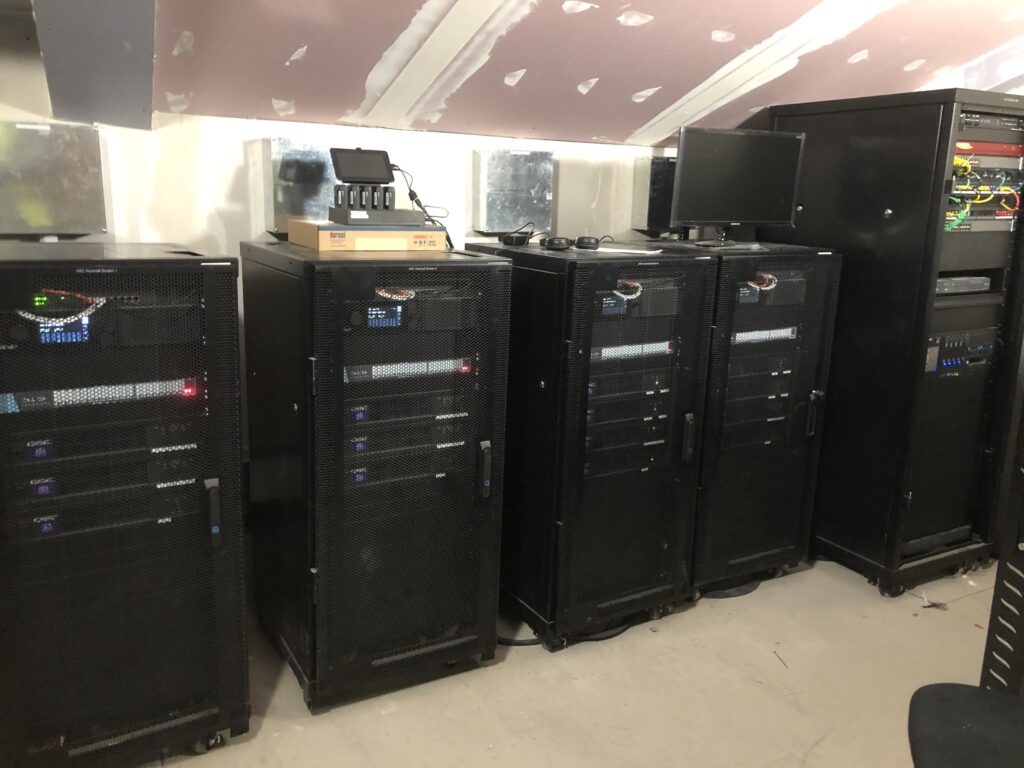
Having an external USB3.0 to SATA drive dock is handy for ingesting physical DCPs. File system convertors and dual boot ingest stations are useful solutions to manage and convert between different file systems. Trailers and short films will benefit from using SSDs to facilitate transfers in a timely manner. USB extension cables and port tester can be used to maintain and troubleshoot the cinemas devices. These tools can also aid technical support staff in diagnosing and resolving uses with USB-connected devices, minimising downtime and ensuring smooth operations.
Ingest failures are usually caused by corrupt files, dirty connectors, or unsupported formats. Learning to recognise the error before the red light flashes on the TMS saves time.
5. KDM Management
The KDM, the tiny XML file, that controls access to encrypted content, is the most deceptively powerful file in the projection suite. Without it, the feature can’t play.
KDMs are date-locked, server-specific, and require perfect time sync. If the server’s clock is even a minute off, or if the KDM was sent for the wrong media block serial number, you’ll get that gut-punch of a “KDM not valid” message. Thankfully, these messages are rare, as the media block should be looking to a Network Time Protocol (NTP) server to keep the time in sync.
Effective digital cinema management involves maintaining an up-to-date list of all screen server serial numbers. It’s also crucial to know where the system clock is set and correct it as needed to ensure synchronized operations. Understanding the Key Delivery Message (KDM) structure is vital, including date ranges, certificate matching, and screen assignment. Clear communication with content providers is essential when requesting KDM reissues, ensuring seamless content delivery and playback.
There’s no hardware workaround. KDMs are digital locks, and if yours doesn’t match the keyhole, the door stays shut.
6. Monitoring and Redundancy
Modern digital cinema systems provide real-time health monitoring for network traffic, server uptime, projector performance, and ingest progress, enabling proactive maintenance. Regular checks should include RAID array status for storage, port speeds, projector bulb or laser hour warnings, and sound processor diagnostics. A robust setup also includes UPS systems with clean shutdown capability, labelled power strips, and direct ingest capability as a backup to bypass the TMS if and when needed. It’s crucial to keep firmware and OS patches up-to-date, performing updates in controlled windows to avoid disruptions. Having direct server access can be a lifesaver in critical situations, such as when a TMS update fails and a screening is imminent.
These monitoring tools have become even more critical as cinemas operate with fewer technical staff. With many sites relying on Network Operation Centres (NOCs) for oversight, local teams may not always have a projectionist or engineer on hand. Remote monitoring can catch issues early, but when urgent problems arise – like a server crash minutes before a show – redundancy and direct access on-site are often the only way to keep the screen lit.
The Human Interface
Despite the rise of automation, the projectionist remains essential. You’re still the last line of defence between chaos and cinematic bliss.
Sometimes your toolkit is a screwdriver. Sometimes it’s a network map. Often, it’s a sense of calm under pressure. There is no “one button” solution to a lost DCP, a mismatched KDM, or a corrupted playlist. But there is often a path forward, one that involves reading logs, swapping cables, checking config files, or just trying the age-old solution: power cycle everything.
Modern projection asks for a technician’s precision, a detective’s eye, and a storyteller’s commitment to delivering the best possible experience.
From Hands-On to Heads-Up
The 35mm toolkit taught us to listen to machines. The digital toolkit teaches us to read them. From squeaks and flickers to pings and logs, the craft has changed, but the responsibility hasn’t.
We still show up early. We still stay late. We still feel the thrill when the house lights fade and the opening cue hits.
And whether we’re holding a splicer or a tablet, whether we’re threading film or patching firmware, the show must go on!

- CJ Tech: RGB Laser vs Phosphor Laser – Understanding the Difference - March 25, 2026
- CJ Tech: Choosing the Right Projection System: Xenon vs Laser Projection - January 20, 2026
- CJ Tech: What a Modern Cinema Projection Toolkit Looks Like - September 3, 2025